
I’ve always been fascinated by websites that feel like small worlds you can explore.
Back in 2018, I started a side project called Daily CSS Design, where I built a small visual experiment in code every day. Some were tiny animations. Others became interactive scenes. The goal was simple: to see how much atmosphere and storytelling I could create with just a few visual elements.
That project taught me something important. The experiments people remembered were rarely the most complex ones. They were the ones that hinted at a story — the ones that created a sense of place, curiosity, or discovery.
At the same time, I kept running into the same problem: building these kinds of experiences often meant stitching together a lot of custom code, animation logic, and layout experiments. It was exciting, but it also made this kind of storytelling feel harder to build than it should be.
That idea stayed with me, and it eventually became one of the foundations for Instorier, a tool designed to make this kind of interactive, story-driven web design more approachable.
In this tutorial, I want to show a simple way to think about visual storytelling on the web using three core ingredients: structure, motion, and interaction, then bring them to life with layered visuals and 3D scenes.
To make that concrete, we’ll build a short sci-fi story set on the Moon.
What We’re Building
Using Instorier, we’ll create a page that feels less like a static layout and more like a guided experience, combining scroll-based pacing, layered visuals, and small interactive moments to turn a simple story into something more immersive.
Structure
When I’m building a story-driven page, I like to give each piece of text plenty of room to breathe. Instead of stacking everything too tightly, I treat each paragraph as its own moment in the journey.
In Instorier, I usually start by building that rhythm with a series of full-height sections using Title and Rich Text modules. This creates a more deliberate pace, letting the reader focus on one idea at a time instead of rushing through a dense layout.
For a few key moments, I make the sections double height to create more space for the visuals to unfold in the background. That extra room helps the story feel less like a sequence of blocks and more like an experience with its own tempo.
Adding Visual Depth
Once the structure is in place, the next step is to give those sections a stronger sense of atmosphere.
A simple way to do that in Instorier is by adding background elements. For the opening section, I use a Background Image module to establish the setting right away. From there, I adjust its timelines so the image gradually fades out and scales down as the reader scrolls deeper into the page.
It’s a small effect, but it changes how the section feels. Instead of acting as a static backdrop, the image becomes part of the progression of the story.
Adding Interaction
Parallax can add a nice sense of depth, but what really makes a page feel alive is interaction.
In this case, I want the story to respond to the reader, not just move in front of them. One of the simplest ways to do that in Instorier is by adding a 3D scene in the background that reacts to pointer movement or scroll. Even a subtle response can make the page feel less like a flat composition and more like an environment.
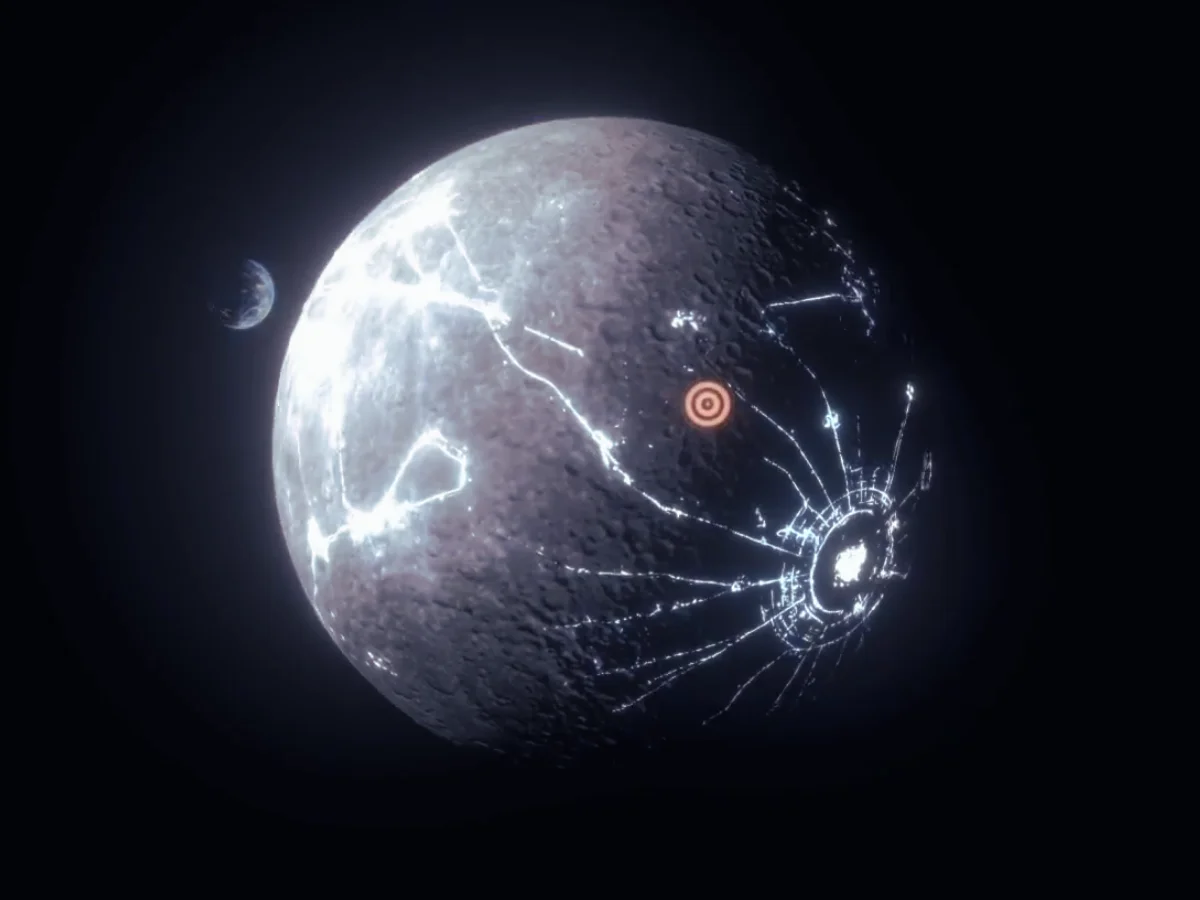
For this part of the story, I wanted to show the dark side of the Moon surrounded by moving lights. To build that, I used a Scene Background element and added a sphere with a moon texture as the base. From there, the scene can be animated so it slowly rotates and shifts with the user’s movement, creating a more immersive effect.
This kind of interaction doesn’t need to be complex to work well. The goal is simply to make the reader feel a little more present inside the scene.


Building the Transition
To move the story forward, I wanted the reader to stop observing the Moon from a distance and begin entering it. For that, I added a hotspot over one of the craters, turning it into a small invitation to explore.

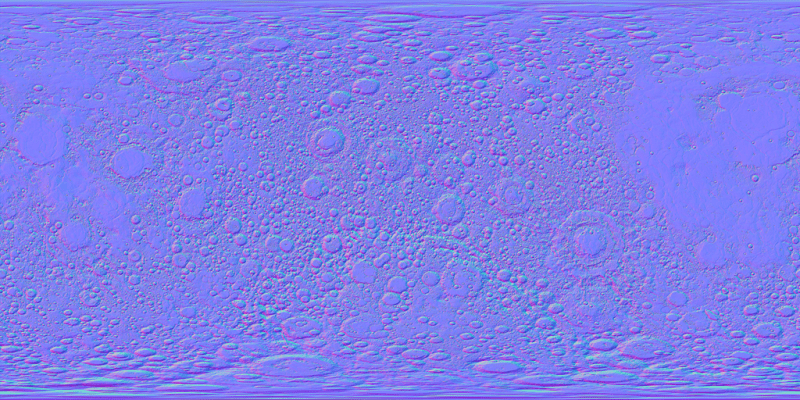
To build the crater itself in Instorier, I combined an image with a depth map. The diffuse texture gives us the visible surface detail, while the depth texture adds a sense of volume and relief, making the crater feel more dimensional.


Diving Inside
For the next visual, the idea is to move directly into the center of the crater, then use a fade to transition from the lunar surface into the cave interior.
The cave scene itself is actually quite simple. It’s built from a ground texture, a few habitat 3D models, and some atmospheric effects like fog and glow to give the space a more mysterious, otherworldly feeling.
What matters here is the contrast. After the openness of the Moon’s surface, the cave immediately feels more enclosed, more intimate, and more alive — like we’ve crossed from landscape into story.
Final Scene
The final scene was even simpler to make. I asked Nano Banana Pro to generate a 360° image, then mapped it onto a sphere surrounding the reader.
Prompt: “Create a futuristic interior in a moon pod with a monitor showing the Earth. No people. Outside the window, it should be very dark, almost like a cave. Equirectangular 360 projection.“

And here is the result:
Bringing the Story Together
What makes this kind of storytelling work is not just animation, 3D scenes, or scroll effects on their own. It’s the way structure, motion, and interaction support each other.
The reader scrolls. The environment responds. Each visual reveals the next part of the story.
When those pieces are designed together, the website starts to feel less like a page and more like a small experience, something people don’t just visit, but remember.
That’s exactly the kind of work Instorier is built to support. It gives you a way to explore story driven design with scroll based pacing, 3D scenes, and interactive moments, without needing to stitch everything together from scratch. The nice part is that it’s easy to experiment with: you can try Instorier for free, publish up to 3 stories, and use its library of images, 3D models, and other design assets as you build.
If this approach feels interesting to you, I’d encourage you to try building something small of your own, a landing page, a visual essay, a product story, or just a simple scene to explore an idea. You can also check out our tutorials section and examples on the site to see different starting points and get a feel for what’s possible.
And if you do try it, I’d genuinely love to hear what you think. Feedback, experiments, and different ways of using these ideas are always interesting, especially from people building for the web every day.
